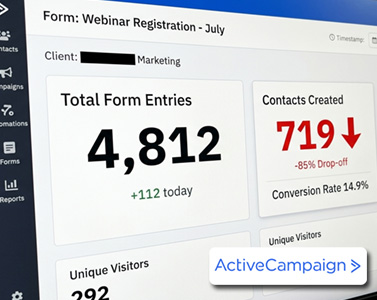
If your emails are suddenly landing in spam, your open rates are dropping, or your campaigns are not getting the results they used to, there is a good chance your list quality is the real problem. That is why ActiveCampaign List Cleaning is one of the most important things you can do to improve your email marketing performance.
Many marketers focus only on better subject lines, prettier email designs, or stronger copywriting. While those things matter, none of them can save a damaged sender reputation. If too many inactive contacts remain on your list, mailbox providers like Gmail begin to assume your emails are unwanted. Eventually, even your best campaigns can end up in spam folders.
The good news is that ActiveCampaign includes powerful built-in tools that make list cleaning much easier. In this guide, you will learn exactly how to clean your ActiveCampaign list step by step, automate the process, and improve deliverability without needing third-party tools.
Why ActiveCampaign List Cleaning Matters
Your email list naturally degrades over time. People stop opening emails, abandon old inboxes, change jobs, or lose interest in your content. If these inactive subscribers stay on your list for too long, they negatively affect your engagement metrics.
Poor list hygiene can cause:
- Lower open rates
- Reduced click-through rates
- Higher spam complaints
- Increased bounce rates
- Worse inbox placement
- Lower overall campaign performance
Mailbox providers heavily analyze engagement signals. If a large percentage of your audience ignores your emails, providers may assume your content is low quality or unwanted.
This is why regular ActiveCampaign List Cleaning is essential for maintaining strong deliverability and protecting your sender reputation.
How to Identify Inactive Contacts in ActiveCampaign
The first step is identifying subscribers who are no longer engaging with your emails.
Inside ActiveCampaign, you can use advanced search filters to find contacts who have not opened or clicked emails within a specific timeframe.
A common approach is creating segments for contacts who have:
- Not opened any campaign in the last 60 days
- Not clicked any campaign in the last 60 or 90 days
These cold subscribers are often the biggest contributors to declining deliverability.
Instead of deleting them immediately, create a tag such as:
- inactive-60-days
- cold-leads
- low-engagement
Tagging inactive contacts gives you more flexibility and allows you to run re-engagement campaigns before removing them permanently.
Run a Re-Engagement Campaign Before Removing Contacts
One of the biggest mistakes marketers make during ActiveCampaign List Cleaning is deleting subscribers too quickly.
Before unsubscribing inactive users, send a re-engagement campaign giving them one last opportunity to stay on your list.
Your email should:
- Be short and direct
- Ask if they still want to receive your emails
- Include a strong call-to-action
- Make it easy to stay subscribed
A simple example could be:
“Still want to hear from us? Click below to stay subscribed.”
Anyone who clicks demonstrates engagement and should remain on your list. Subscribers who ignore the message are likely hurting your deliverability.
This process helps preserve genuinely interested subscribers while removing dead weight from your database.
How to Automate ActiveCampaign List Cleaning
The real power of ActiveCampaign comes from automation. Instead of manually cleaning your list every month, you can create an automated engagement management system.
This allows ActiveCampaign to continuously detect inactive subscribers, attempt re-engagement, and unsubscribe cold contacts automatically.
Here is how to set it up.
Step 1: Create an Engagement Score
Go to:
Contacts → Manage Scoring
Create a new contact score called:
Engagement Score
This score will automatically measure how engaged each subscriber is.
Step 2: Increase Scores for Engagement
Add rules that reward positive engagement.
Examples:
- Add 10 points when a contact opens any campaign
- Add 20 points when a contact clicks a link
This ensures active subscribers maintain high scores over time.
Step 3: Decrease Scores for Inactivity
Now create a rule that reduces scores when subscribers stop engaging.
For example:
- Subtract 10 points if a contact has not opened or clicked any campaign in the last 30 days
This is the key automation that powers effective ActiveCampaign List Cleaning.
Over time, inactive subscribers naturally lose points and become candidates for re-engagement or removal.
Step 4: Create an Automation Trigger
Go to:
Automations → Start From Scratch
Choose the trigger:
Score Changes
Select your Engagement Score and configure the automation to trigger when the score drops below a threshold, such as:
- Below 10 points
This means ActiveCampaign will automatically identify inactive subscribers without manual filtering.
Step 5: Send a Re-Engagement Email
Inside the automation, send a re-engagement email asking whether the subscriber still wants your content.
Include:
- A clear message
- A strong CTA button
- A confirmation link to remain subscribed
Keep the email simple and easy to understand.
Step 6: Add a Waiting Period
Add a wait condition for:
- 3 to 5 days
This gives contacts enough time to respond before additional actions occur.
Step 7: Check Engagement Activity
Add an If/Else condition that checks whether the subscriber clicked the re-engagement link.
If they clicked:
- Increase their engagement score again
- Return them to your active audience
If they did not click:
- Optionally send one final reminder email
- Or move directly to unsubscribing them
Should You Unsubscribe or Delete Contacts?
This is one of the most common questions about ActiveCampaign List Cleaning.
In most cases, unsubscribing is better than deleting.
Why?
Because unsubscribing:
- Preserves historical data
- Prevents accidental re-importing
- Maintains reporting accuracy
- Helps track previous engagement history
Deleting contacts permanently should usually be reserved for invalid or fake email addresses.
Use ActiveCampaign’s Built-In Engagement Features
Depending on your plan, ActiveCampaign also includes built-in engagement management tools that simplify segmentation and list hygiene.
These features help automatically:
- Track engagement levels
- Identify cold subscribers
- Build smarter segments
- Improve deliverability management
If email marketing is important to your business, using these features can significantly improve long-term campaign performance.
Final Thoughts on ActiveCampaign List Cleaning
A clean email list is one of the fastest ways to improve deliverability, increase open rates, and generate more revenue from your campaigns.
The best part is that you do not need expensive external software to do it. With proper automation, scoring, and re-engagement workflows, ActiveCampaign can handle nearly the entire process automatically.
By implementing a consistent ActiveCampaign List Cleaning strategy, you will:
- Protect your sender reputation
- Reach more inboxes
- Improve campaign engagement
- Reduce spam placement
- Build a healthier email marketing system
If your email performance has been declining recently, cleaning your list may be the single highest-impact improvement you can make today.