
If you’ve been researching marketing tools lately, you’ve almost certainly bumped into GoHighLevel — and probably wondered whether it’s something you actually need. So let’s answer the real question first: what is GoHighLevel, and who is it genuinely a good fit for? No hype, no hard sell. Just an honest walkthrough of the platform and an honest look at whether it belongs in your business.
What Is GoHighLevel, Exactly?
In plain terms, GoHighLevel is an all-in-one sales and marketing platform. It bundles together a handful of tools that are normally separate apps — a CRM for your contacts, email and text messaging, a website and funnel builder, appointment booking, and automation — into one place where everything shares the same data.
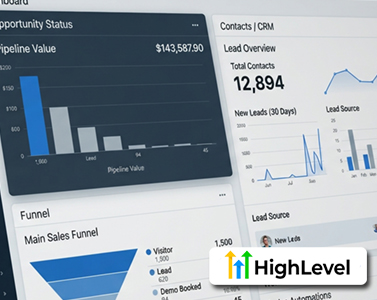
It was originally built for marketing agencies, which is why so much of the content online is agency-focused. But plenty of coaches, local businesses, and solo operators use it too. When you log in, you land on a dashboard that gives you a general overview of your leads, appointments, and activity.
Agency Accounts vs. Sub-Accounts
There’s one concept worth understanding early, because it trips a lot of people up: agency accounts versus sub-accounts.
The agency account is the top level — mainly for billing and settings. Below it are sub-accounts (sometimes called “locations”), and each one is a separate, self-contained workspace with its own contacts and campaigns. If you’re running a single business, you’ll just work inside one sub-account and barely think about this. It only really matters when you’re managing several clients and want their data kept completely separate.
The Core Features Walkthrough
Most of what happens in GoHighLevel revolves around the contact.
- Contacts (CRM): Every lead and customer, with tags, custom fields, and a full history of calls, texts, emails, and appointments in one record. The useful part is that this updates automatically as things happen elsewhere, so you’re not copying data between apps.
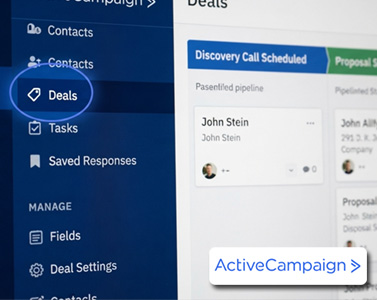
- Opportunities: Your sales pipeline. Each deal is a card you drag across stages, similar to a Trello board. Great for sales processes, onboarding, or anything with clear steps.
- Conversations: A single inbox that pulls in texts, emails, and Facebook/Instagram messages, organized by contact. It quietly saves a lot of app-switching.
- Calendars: Build booking pages, set availability, and let people schedule with you. Bookings create a contact automatically and send confirmations and reminders.
- Sites: A drag-and-drop builder for landing pages, websites, funnels, and forms. Form submissions drop straight into your contacts — no exporting and re-uploading lists.
- Marketing: Send email campaigns and bulk text messages to the same people you’re already tracking.
One honest heads-up here, because it catches beginners off guard: your monthly plan covers the software, but texts, calls, and higher email volume are billed separately as usage. It’s usually not much, but it’s worth knowing so the bill isn’t a surprise.
Automation: The Part That Ties It All Together
The real glue is Automation. Inside the Workflow builder, you’ll find triggers and actions. A trigger is something that happens (a form submission, a missed call, a new booking). An action is what you want to happen next (send a text, wait two days, send an email, add a tag, notify someone).
A classic example: a missed call automatically fires a text back, so the lead doesn’t vanish. You don’t need anything complicated to start — even one or two simple automations can be genuinely useful. Just be honest with yourself that it takes a little time to learn.
Reputation, AI, and the Extras
Under Reputation, you can send review requests and monitor your Google and Facebook reviews in one place — even automatically after a job is marked complete. Handy for local businesses that live and die by reviews.
GoHighLevel has also added a lot of AI: Conversation AI to reply to messages, Voice AI to answer calls and book appointments, and content tools — often bundled as the “AI Employee.” Treat this as optional rather than essential. The advanced AI is a paid add-on and calls cost a small per-minute fee, so it makes more sense once you have real volume.
A few more areas round things out: Payments (invoices and checkout via Stripe), Memberships (courses and communities), and Reporting (dashboards). You don’t need any of this on day one — it’s just good to know what’s in the box.
How Much Does GoHighLevel Cost?
There are three plans, and as of 2026:
- Starter — ~$97/month: Up to 3 sub-accounts. Fine for a single business or someone getting started.
- Unlimited — ~$297/month: Unlimited sub-accounts plus branding. Aimed at agencies.
- Pro/SaaS — ~$497/month: For reselling the software as your own.
All plans include unlimited contacts and users, and there’s a free trial. Remember: those usage fees for texts and calls sit on top of whichever plan you choose.
So, Who Is GoHighLevel Actually For?
GoHighLevel makes the most sense if you’re juggling several separate tools and want them unified, or if you’re an agency managing multiple clients (the higher plans let you brand the platform as your own).
On the other hand, if you’re happy with your current stack, or you only need one simple thing like a booking page, GoHighLevel may be more than you need. It’s a broad platform with a real learning curve, and there’s zero shame in deciding it’s not your fit.
Is GoHighLevel Worth It?
If you want a single system for your CRM, messaging, booking, funnels, and automation — with some AI on top — then yes, it’s worth a closer look. The smartest move is to start the free trial and actually feel it out with your own workflow before committing.
Frequently Asked Questions
What is GoHighLevel used for?
It’s used to run sales and marketing from one platform — managing contacts, sending emails and texts, building funnels and websites, booking appointments, and automating follow-up, all sharing the same data.
Is GoHighLevel good for beginners?
It can be, especially if you start with one or two simple automations. The trade-off is a learning curve, since it does so much. Beginners should give themselves time to grow into it.
Does GoHighLevel replace other tools?
For many users, yes — it can replace a separate CRM, email tool, funnel builder, and scheduler. Whether it fully replaces yours depends on how much flexibility each tool gives you.
How much does GoHighLevel cost?
Plans start around $97/month, with $297 and $497 tiers for agencies and resellers. Texts, calls, and high email volume are billed separately as usage.

Leave a Reply