Introduction: Why Make Automation Workflows Are a Game-Changer
If you’ve ever felt overwhelmed by juggling apps like Gmail, Trello, Airtable, or Shopify, you’re not alone. Managing emails, updating spreadsheets, and keeping inventory in sync can be a real headache. The good news? Make automation workflows simplify all of this by connecting your favorite apps and automating repetitive tasks.
With Make, you don’t need to be a tech wizard to save hours every week. In this post, you’ll discover how Make works, real-world examples of automation workflows, troubleshooting strategies, and tips for optimizing your automations for maximum efficiency.
What Are Make Automation Workflows?
At its core, Make is an integration platform that connects hundreds of apps. Instead of switching back and forth between different tools, Make automation workflows allow you to integrate them seamlessly.
For instance, you can automatically capture leads from Google Forms, push them into a CRM like HubSpot or Salesforce, and even send a personalized welcome email—all without touching a keyboard. The process is visual, drag-and-drop based, and surprisingly easy to learn.
Real-Life Examples of Make Automation Workflows
Let’s explore a few practical scenarios where automation makes life easier:
1. Automating Email Notifications
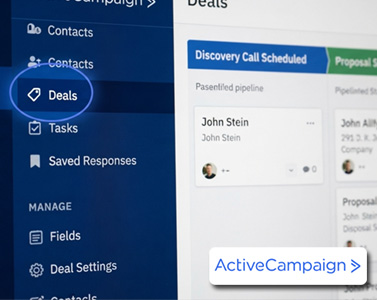
Imagine you’re using Zoho CRM or Pipedrive. Instead of manually notifying your sales team when a new lead arrives, a Make automation workflow can instantly send an email with all the relevant details. This ensures fast response times and fewer missed opportunities.
2. Syncing Inventory Across Platforms
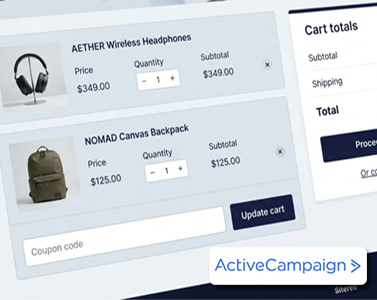
If you sell on Shopify and Amazon, keeping stock levels accurate is crucial. A workflow can sync inventory across both platforms in real time, preventing overselling or stockouts. This kind of automation not only saves time but protects your reputation.
3. Scheduling Social Media Posts
Consistency on social media is tough. With Make, you can set up a workflow to pull new blog posts from your RSS feed and publish them automatically to LinkedIn, Twitter, or Facebook at the right times. No more manual posting.
4. Backing Up Critical Data
If your team relies on Airtable or Google Sheets, data loss is a real risk. Automations can back up information regularly to Google Drive or Dropbox, giving you peace of mind that nothing important will disappear.
Troubleshooting Common Issues in Make Automation Workflows
Even though most workflows are simple to set up, issues can still arise. Here are some proven troubleshooting tips:
-
Double-check API keys: These act like digital passwords. A typo can break your connection.
-
Review app permissions: Make sure the app has permission to perform the required action (like sending Gmail messages).
-
Use “Test Connection”: This feature quickly confirms if everything is working before you launch.
-
Break workflows into steps: Test triggers and actions individually to identify where errors occur.
By following these steps, you can fix most issues without frustration.
How to Optimize Make Automation Workflows
Beyond setup and troubleshooting, optimization ensures your automations stay efficient:
-
Use filters: Stop unnecessary operations if required fields are missing.
-
Schedule workflows at the right time: Running heavy tasks during off-peak hours prevents slowdowns.
-
Monitor usage limits: Stay within your plan’s operation limits by streamlining workflows.
-
Leverage templates: Pre-built templates for common tasks save time and help you start fast.
Why Businesses Love Make Automation Workflows
The beauty of Make is its flexibility. You’re not limited to simple automations—multi-step workflows can span email, e-commerce, spreadsheets, and project management tools simultaneously.
For example:
-
A new Shopify order → triggers a Gmail confirmation → updates Airtable inventory → creates a Trello fulfillment task.
That’s four apps connected in a single seamless process.
This level of automation reduces manual work, improves accuracy, and frees your team to focus on what truly matters—growing the business.
Conclusion: Start Automating Today
Whether it’s automating emails, syncing inventory, posting on social media, or backing up data, Make automation workflows give you control and efficiency. They save you hours each week, reduce errors, and create peace of mind knowing your systems run on autopilot.
Start small, experiment with templates, and gradually build more advanced workflows as your confidence grows. Once you experience the freedom automation brings, you’ll wonder how you ever worked without it.