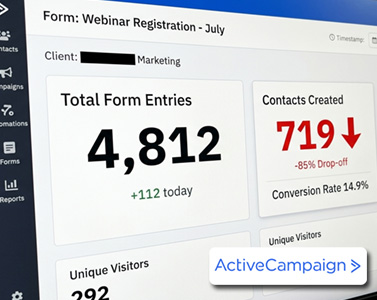
If your email campaigns are reaching the wrong people, your automations are triggering incorrectly, or your segments seem unreliable, the issue is often how you’re using ActiveCampaign Advanced Search.
Many marketers struggle with questions like:
-
How do I create accurate segments in ActiveCampaign?
-
Why is my segment returning the wrong contacts?
-
What is the difference between AND and OR conditions?
-
How can I segment engaged vs. inactive contacts?
-
Can AI features improve segmentation performance?
Understanding ActiveCampaign Advanced Search is the key to solving these problems. Once you master it, you can build highly targeted segments that dramatically improve open rates, clicks, and conversions.
In this guide, you’ll learn exactly how Advanced Search works, how to combine conditions properly, and how to leverage behavioral and predictive data for better marketing results.
What Is ActiveCampaign Advanced Search?
ActiveCampaign Advanced Search is the segmentation engine that filters your contact database using specific conditions.
Each condition defines a rule based on contact attributes or behaviors.
You can segment contacts using data such as:
-
Tags
-
List subscription status
-
Custom fields
-
Campaign activity (opens, clicks)
-
Automation activity
-
Website visits (via site tracking)
-
CRM deal stages
-
Ecommerce purchase history
-
Predictive marketing data
This flexibility allows marketers to build extremely precise audiences instead of sending campaigns to an entire list.
However, the accuracy of your segment depends on how you combine these conditions.
Understanding Logical Operators in ActiveCampaign Advanced Search
The most important concept in ActiveCampaign Advanced Search is logical operators.
ActiveCampaign evaluates your segment conditions using two rules:
AND Logic
With AND, a contact must meet every condition.
Example:
-
Tag exists Lead
-
AND Tag exists Customer
Only contacts who have both tags will appear in the results.
OR Logic
With OR, a contact must meet at least one condition.
Example:
-
Tag exists Marketing
-
OR Tag exists Automation
Any contact with either tag will appear.
Why This Matters
Choosing the wrong operator is the number one reason segments behave incorrectly.
For example:
Correct use of AND
Send a loyalty promotion to contacts who:
-
Have tag Customer
-
AND made at least two purchases
Correct use of OR
Promote a webinar to contacts interested in:
-
Marketing
-
OR Automation
Using the wrong operator can dramatically change your results.
Using Grouped Conditions in ActiveCampaign Advanced Search
Sometimes segmentation logic becomes more complex.
For example:
You may want to target contacts who:
-
Are subscribed to your main list
-
AND (opened a campaign in the last 30 days OR visited your pricing page)
This is where grouped conditions become essential.
Grouping works like parentheses in a mathematical equation.
It allows ActiveCampaign to evaluate part of the logic separately before applying the final condition.
Example of a high-intent segment:
Contacts who:
-
Have not purchased
-
AND visited a product page twice
Segments like this often produce excellent conversion rates for limited-time promotions.
Without proper grouping, the platform may evaluate the logic incorrectly and return inaccurate results.
Engagement Segmentation with ActiveCampaign Advanced Search
One of the most effective uses of ActiveCampaign Advanced Search is engagement-based segmentation.
This allows you to identify both highly engaged contacts and inactive subscribers.
Highly Engaged Contacts
You can identify active subscribers using conditions such as:
-
Has opened a campaign within the last 30 days
-
AND Has clicked any link within the last 30 days
This segment is perfect for:
-
Product launches
-
Promotions
-
Beta tests
-
High-conversion campaigns
Unengaged Contacts
To identify inactive subscribers, you might use:
-
Has not opened a campaign in the last 60 or 90 days
This segment is ideal for:
-
Re-engagement campaigns
-
List cleanup sequences
-
Deliverability protection
A crucial detail here is defining a timeframe.
If you do not include a timeframe, ActiveCampaign evaluates all historical data, which can significantly distort your results.
Behavioral Segmentation Using Automations
Another powerful capability of ActiveCampaign Advanced Search is automation-based segmentation.
You can build segments based on how contacts interact with your automations.
Examples include:
Funnel Drop-Off Identification
Segment contacts who:
-
Entered an automation
-
BUT did not complete the automation
This reveals leads who started a funnel but dropped out.
Webinar Follow-Up Segments
Target contacts who:
-
Completed a webinar automation
-
BUT did not purchase afterward
This group is typically highly qualified and responds well to follow-up offers.
Behavioral segmentation like this consistently outperforms generic email blasts.
Using Predictive Features with ActiveCampaign Advanced Search
If your plan includes AI tools, ActiveCampaign Advanced Search becomes even more powerful.
ActiveCampaign includes several predictive marketing features.
Predictive Sending
Predictive sending analyzes individual engagement patterns and delivers emails when each contact is most likely to open them.
Predictive Content
Predictive content dynamically displays the content variation most likely to convert for each contact.
Predictive Geography
Predictive geography estimates a contact’s location based on engagement data, even if the location field is incomplete.
This helps with:
-
Local promotions
-
Regional offers
-
Event invitations
Predictive Attribution
Predictive attribution identifies which marketing channels influenced conversions.
For example, you could segment contacts whose first touchpoint was:
-
A Facebook campaign
-
Organic search
-
A referral source
This allows marketers to personalize messaging based on acquisition channels.
Ecommerce and CRM Segmentation Strategies
ActiveCampaign Advanced Search also integrates with ecommerce and CRM data.
Examples include:
VIP Customer Segments
Segment contacts whose:
-
Total revenue exceeds a specific value
Then send exclusive VIP promotions.
Sales Follow-Up Segments
Combine CRM and engagement conditions:
-
Deal stage = Proposal Sent
-
AND Clicked campaign in the last 14 days
This identifies high-priority prospects for sales follow-up.
Why Saving Segments in ActiveCampaign Is Critical
After building a segment using ActiveCampaign Advanced Search, remember that filters are temporary by default.
Many users assume their segmentation logic is saved automatically, but it is not.
To reuse your segment in campaigns or automations:
-
Click Save as Segment
-
Assign a clear descriptive name
Example:
Engaged Last 30 Days – Non Buyers
Saved segments allow you to scale your marketing while keeping your segmentation logic organized.
Common ActiveCampaign Advanced Search Mistakes
Even experienced marketers make segmentation mistakes.
Here are the most common ones:
-
Using AND instead of OR
-
Forgetting to group conditions
-
Leaving out timeframes
-
Mixing list status and tag logic incorrectly
-
Referencing the wrong CRM pipeline or ecommerce product
-
Forgetting to save the segment
-
Not checking the contact count while adjusting filters
Always monitor the total number of contacts while editing your segment.
If the number suddenly jumps or drops dramatically, your logic likely needs adjustment.
Final Thoughts on ActiveCampaign Advanced Search
ActiveCampaign Advanced Search is the foundation of high-performing email marketing.
When you combine:
-
Logical operators
-
Grouped conditions
-
Behavioral data
-
Ecommerce insights
-
CRM activity
-
Predictive marketing features
You move from basic email broadcasting to precision targeting.
Instead of sending campaigns to everyone, you deliver the right message to the right person at the right time.
That approach increases:
-
Open rates
-
Click-through rates
-
Conversions
-
Email deliverability
Mastering ActiveCampaign Advanced Search is one of the most valuable skills any email marketer can develop.